
Appearance
Requesting Access to JFrog Environments
There are two primary ways to gain access to the JFrog Platform:
General JFrog Platform Access
Access Request Process Changed Access requests for JFrog are now managed through Entra MyAccess, owned by the Ford Global Access team. The process is no longer handled by all-aboard.
To request access to Ford JFrog, please follow the steps below:
- Browse to MyAccess. If you are not already logged in, you will be prompted to login and follow the Multi-Factor Authentication (MFA) prompt. Ultimately you would land on the myaccess page. Click on Access Package on the left and search for "Jfrog".
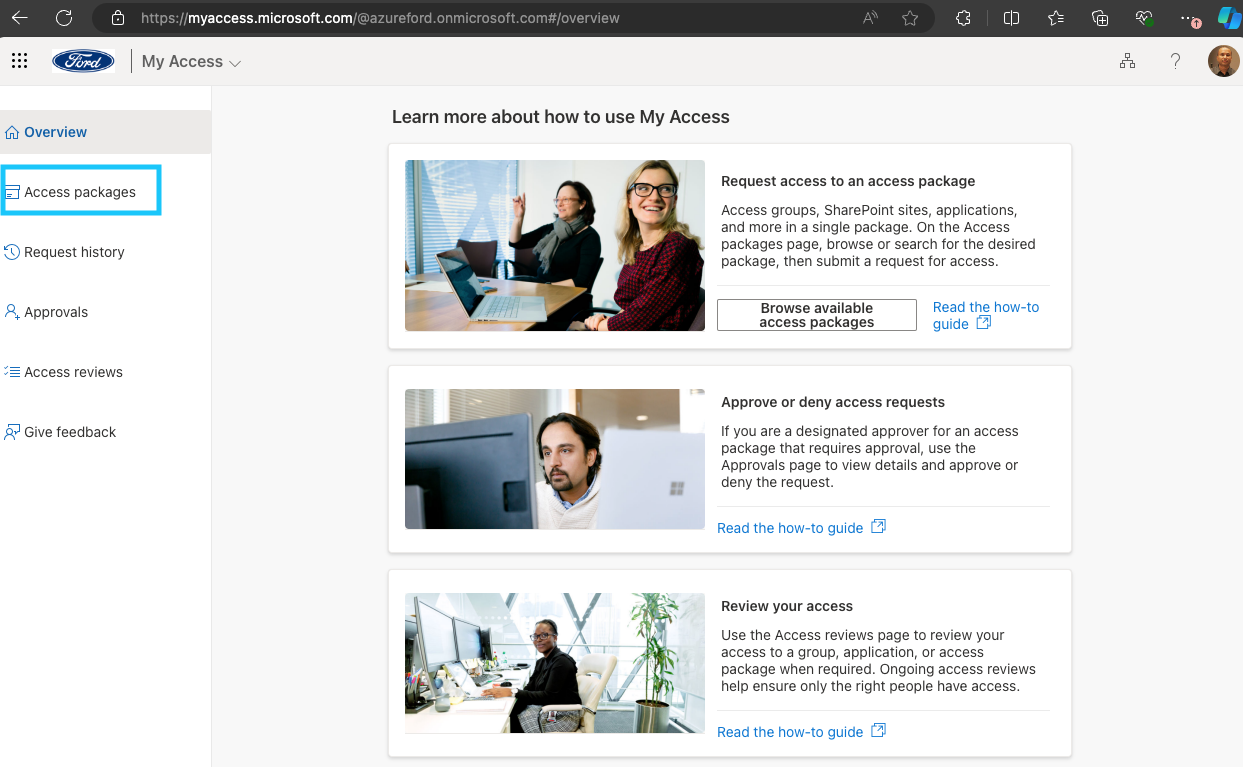
- You will see a package named "GitHub & Jfrog-Ford" or similar. Depending on your employment type the actual name will be different but it will begin with "GitHub & JFrog".

- Click on Request on the right hand side of the package. You should see a popup, confirm that you chose the correct package and click on Continue.
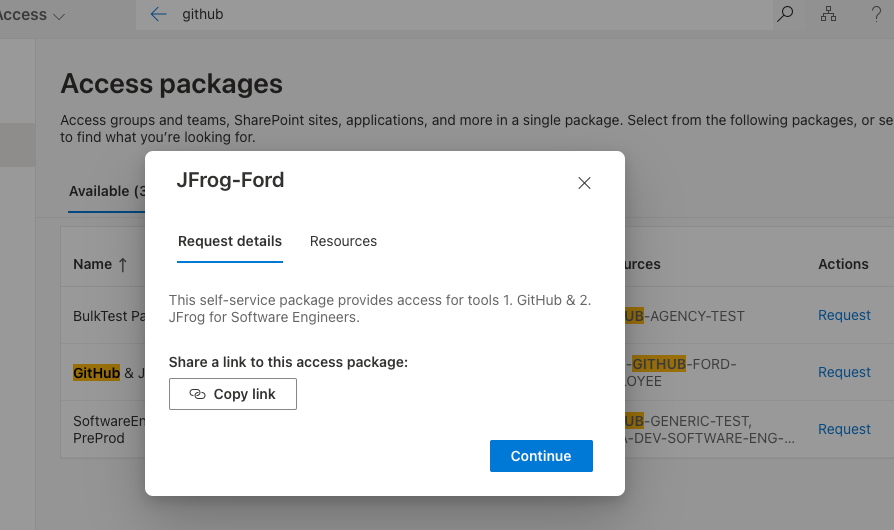
(Please do not copy the package link and share with your teammates, the link is different for different individual.)
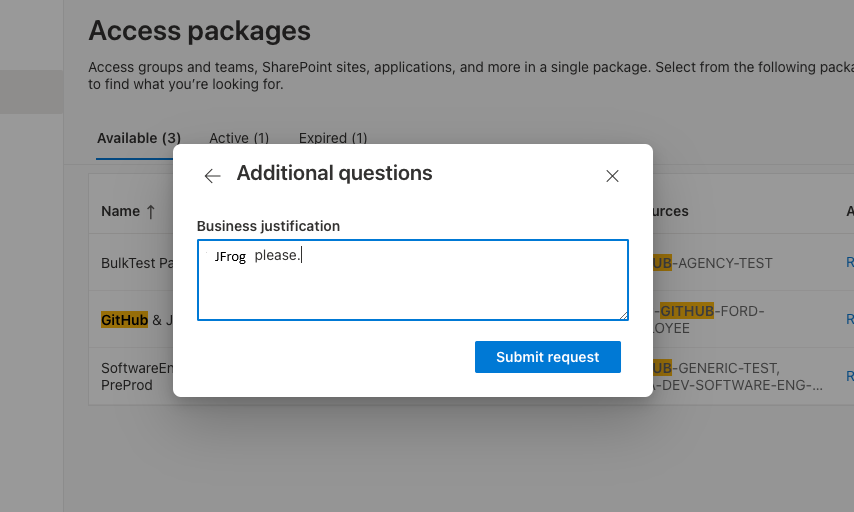
- You should see another popup asking for Business justification. Type in a note and hit Submit request.
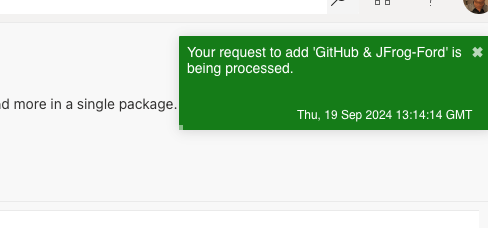
- A green tip window will popup showing the progress and should disappear within a few seconds.
- An email will follow to your inbox confirming the access. Wait for about 45 minutes, and then login.
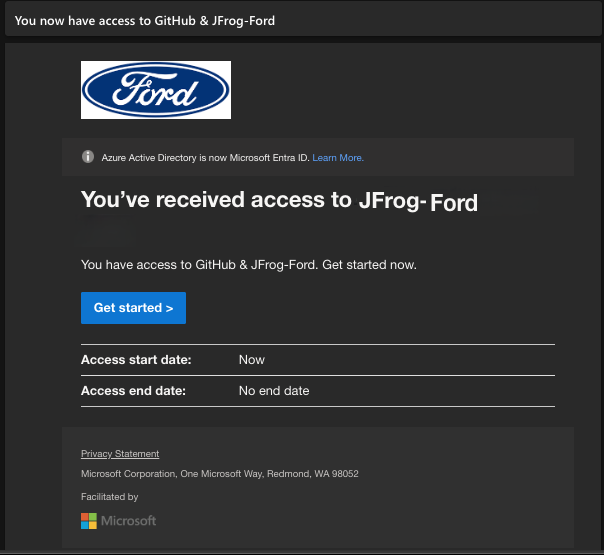
Wait about 45 minutes
Once the access is granted it would take about 45 minutes to propagate to Ford's JFrog. So, please be patient and don't try to login immediately.
Access for Generic (Proxy) ID
You cannot request access on behalf of another CDSID. The sponsor or manager of the proxy ID must log in as the proxy account and follow the same steps. MFA applies to proxy IDs as well. This requirement is enforced by Cloud Security, and exceptions cannot be granted.
Access for Supplier
Suppliers must have a Ford CDSID (typically type S or M) to request access. If a supplier does not have a Ford CDSID, a Ford sponsor (usually an LL6) can create one using the IAM portal to create one for the supplier. Once a Ford ID is issued, the supplier can follow the steps above to request access.
Project Specific Access
The second method is to be provided project specific access by a project admin. Project admins manage the membership of their projects primarily via Security Groups created via iam.ford.com. If you work on a project, verify with your team and leadership that you are in the necessary security groups. If you need access to another team's project, contact their leadership for requirements—they can assign group or individual access as needed, or share specific repositories with your team or project.
For repository access issues or if you are unsure which group to request, reach out to a project admin via Teams Help-JFrog.
Important Note
These access methods are not exclusive—you can have general access and also be granted specific access to multiple projects. If you are unsure where to begin, start with a general access request, but always check with your team for guidance.