Appearance
Search in JFrog UI
JFrog Artifactory provides extensive search functionality in its UI. You can search for artifacts, repositories, packages, artifact properties, and more. The example below demonstrates how to search for a library and determine which public repositories it is virtually mapped to.
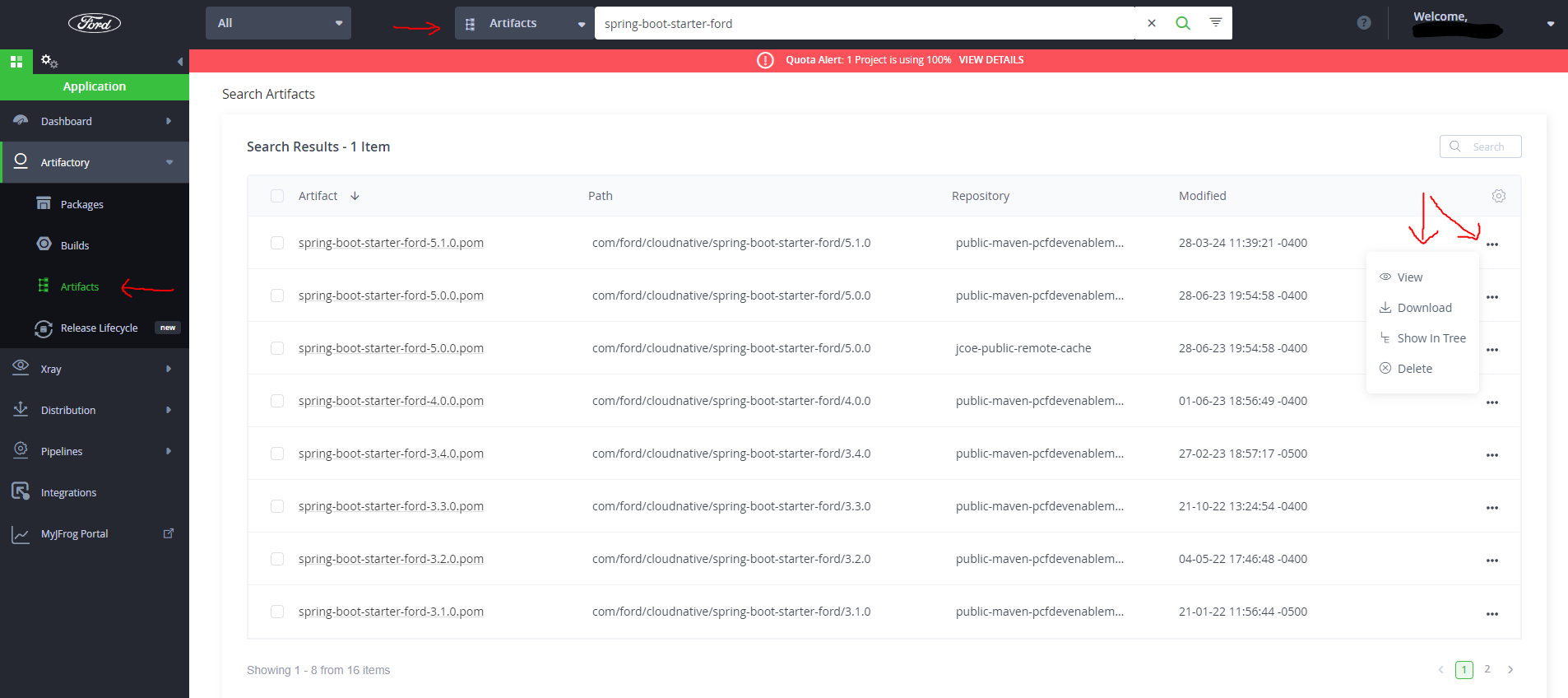
In the JFrog UI, enter the artifact name (partial or full) in the search bar.
- Note: Ensure you have "Artifacts" elected in both the left and top main category menus.
For each result, click the three dots (...) on the right for more options.
Select "Show in Tree" to see the artifact details.
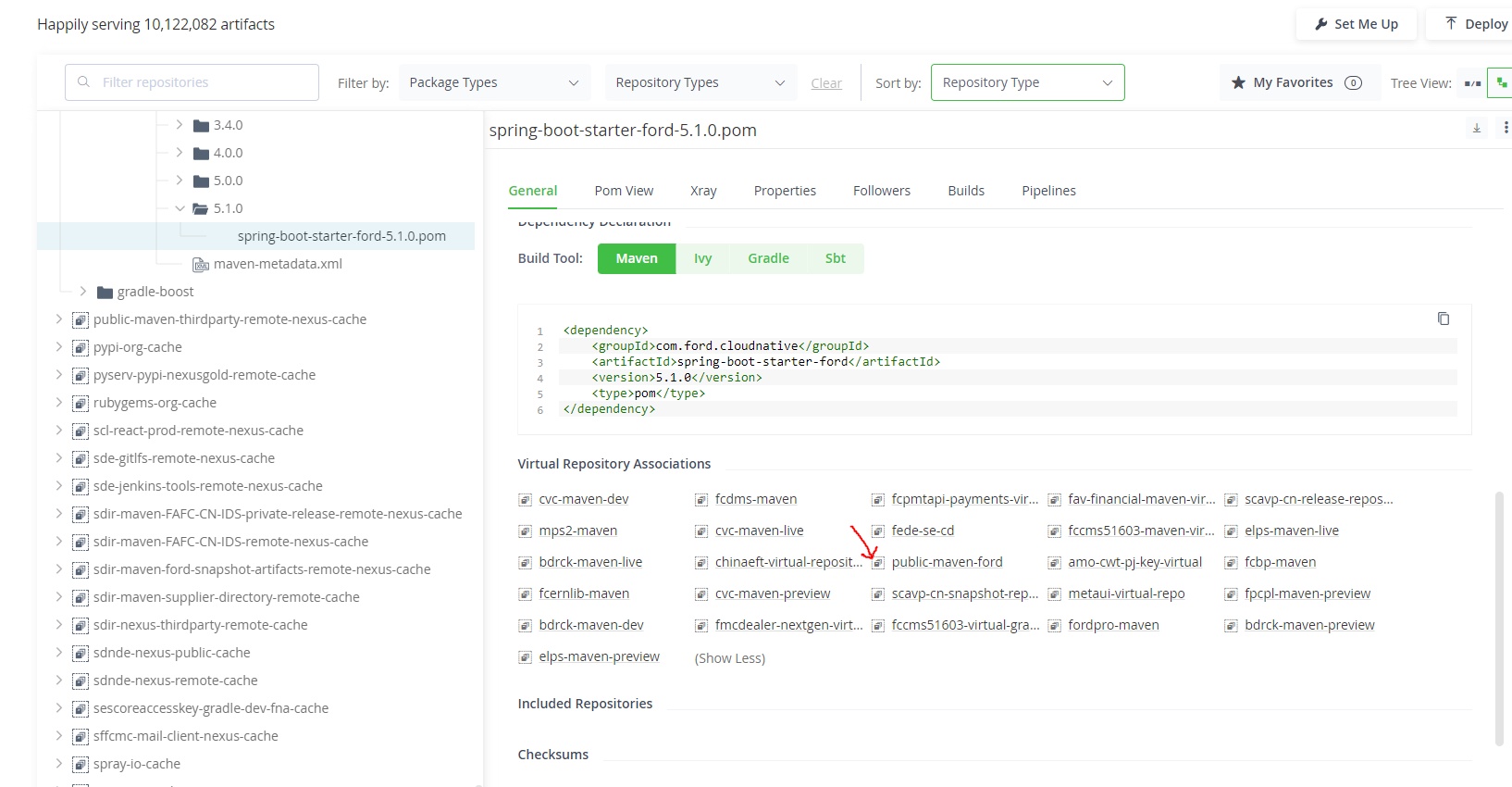
- Scroll down to see what repositories this artifacts is mapped to.
- Note: In this example, the artifact repositories is mapped to "public-maven-ford" virtual repositories, which means if you have "public-maven-ford" as one of the urls to download dependencies, you would be able to get this artifact.