
Appearance
JFrog Curation Notification for MS Teams
The JFrog Notification Bot alerts users in Microsoft Teams when a downloaded package violates curation policies. These alerts help developers quickly identify vulnerable packages entering the Ford environment, supporting rapid mitigation. Notifications are sent by JFrogPlatform Proxy (P.) via Workflows for Teams.
For details on curation policies, see the JFrog Curation Overview.
Current Policies With Notification Enabled
| Package Type | Vulnerabilities Level | Blocked/Dry-Run |
|---|---|---|
| All | Malicious | Blocked |
| Maven/Gradle, NPM, Pypi, Go, Conan, NuGet, Gems | Critical (CVE with CVSS score of 9 or above) | Dry-Run |
Dry-Run Mode
No packages will be blocked during this dry run—this phase is for awareness only and should not impact your development workflow.
What Should I Do After Received The Notification?
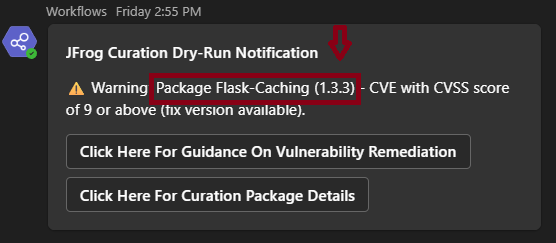
Review the package name and version flagged for vulnerability:
Open the
Click Here For Curation Pacakge Detailslink to see more information about the package: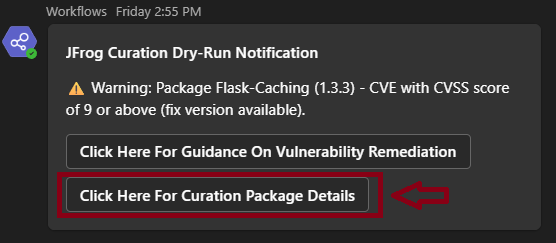
From the Curation Package Catalog (URL above), click on the
CVE IDand check theFix Version.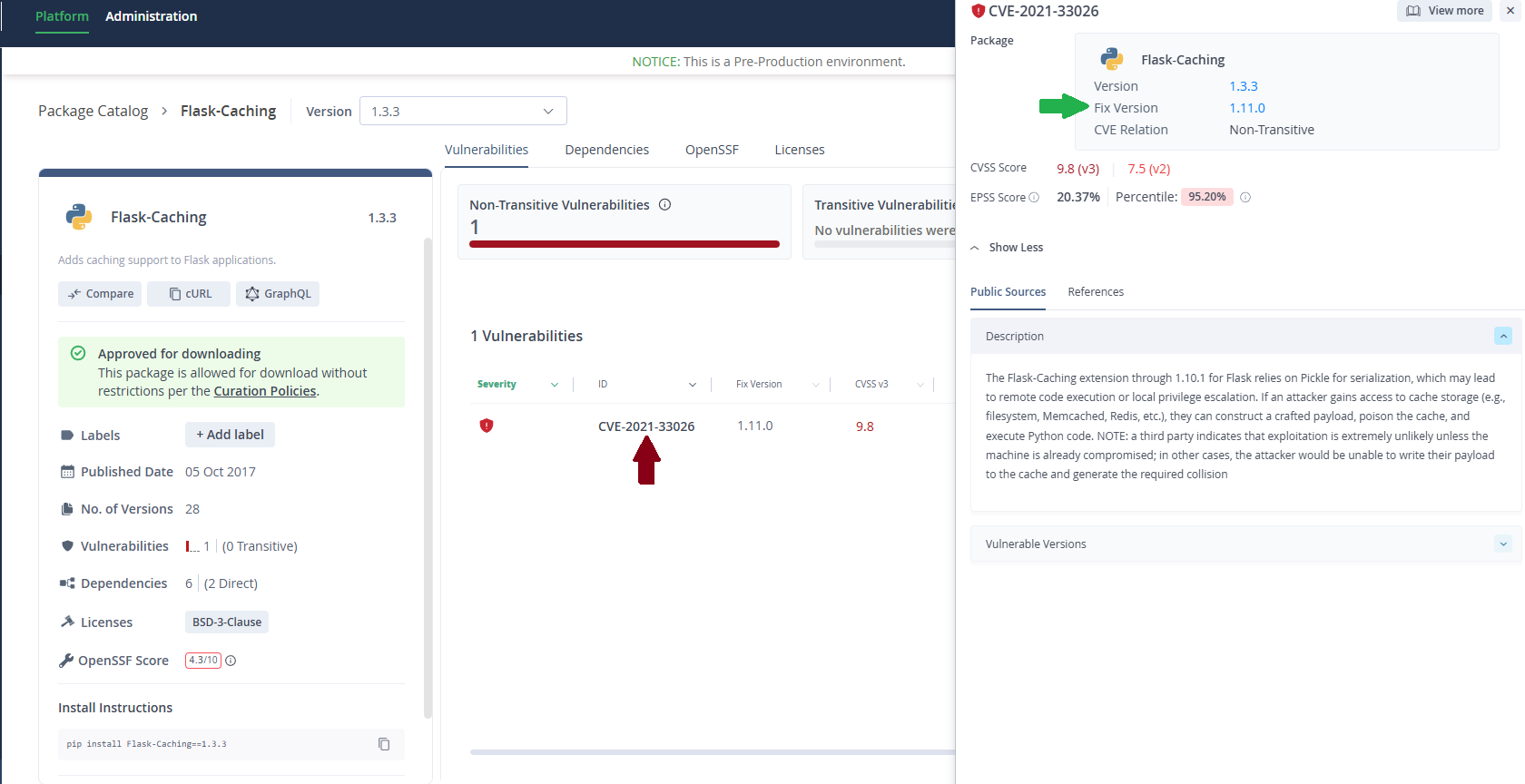
Update your package to the recommended
Fix Version.- For Java/Gradle/Maven projects: You would typically modify your build.gradle or pom.xml file to specify the new, fixed version of the dependency.
- For Node.js projects: You would update your package.json file and then run npm install or yarn install.
- For Python projects: You might update your requirements.txt file and run pip install -r requirements.txt.
- For other systems: This could involve downloading and installing a new binary, running an update command, or applying a patch.